Creating Images with Nano Banana Pro: Notes from Actually Using It
Hands-on notes on generating images with Nano Banana and Nano Banana Pro, building a phone-friendly version of an AI studio, and the idea of an image's 'JSON DNA.'
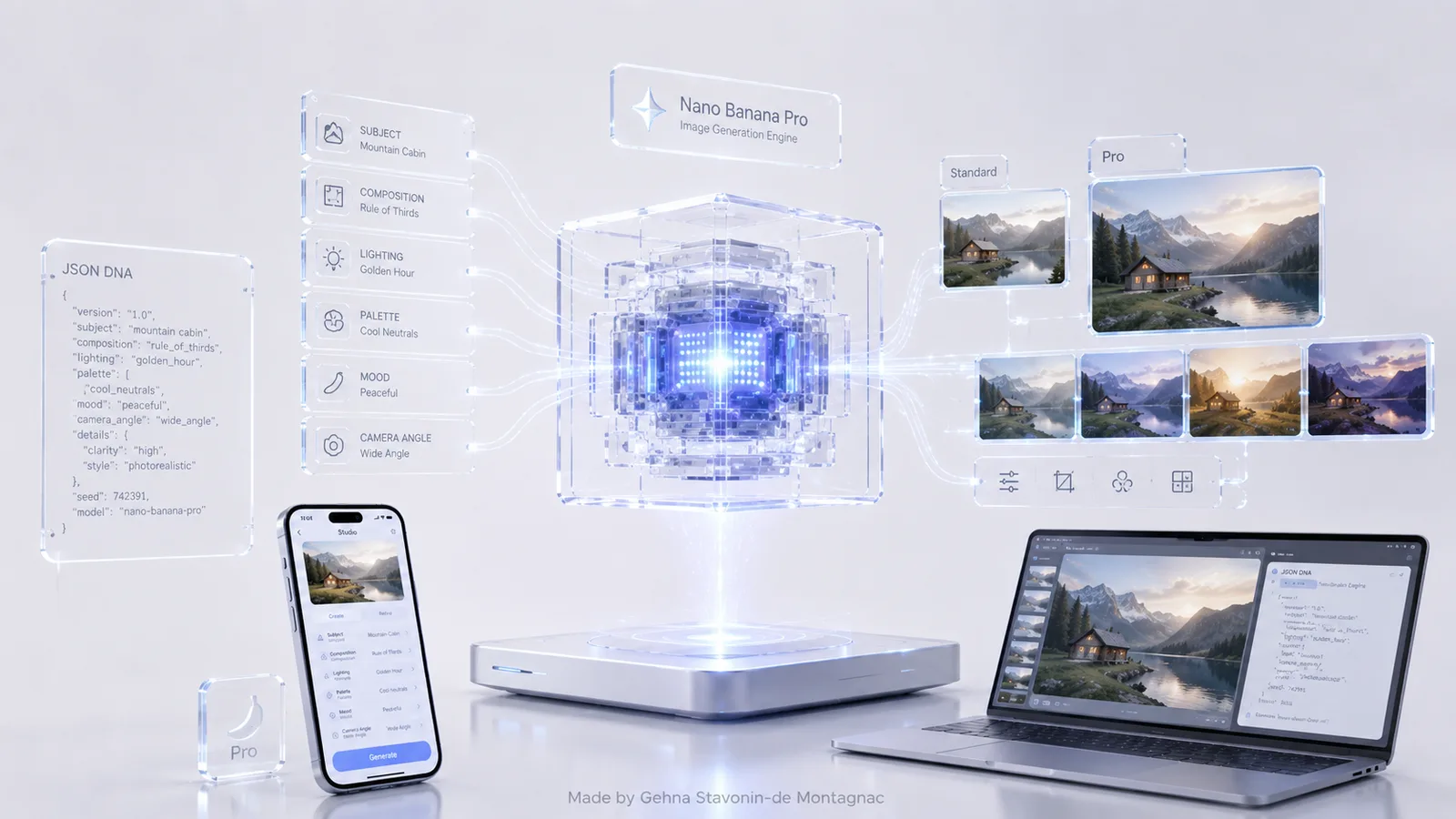
Most writing about AI image generation reviews it from a distance — feature lists, benchmark comparisons, a gallery of impressive outputs. This is closer to a set of working notes from actually using two of the current image models, Nano Banana and Nano Banana Pro, day to day, and a technique that's changed how I think about prompting entirely.
Fact, with a caveat: naming in this space moves fast, and by the time you read this the exact model names or versions in use may have shifted — that's normal for the pace this field moves at, and worth checking current documentation rather than treating any single article as a permanent reference point. What's more durable is the underlying workflow.
What actually changes between "regular" and "pro" tiers
In practice, the difference I notice most isn't raw aesthetic quality — both are capable of genuinely striking output — it's controllability. The Pro tier tends to follow more detailed, multi-part instructions more faithfully: specific composition requests, consistent character or object details across multiple generations, and fewer of the small unwanted deviations that show up when a prompt has several requirements at once. For quick, exploratory generation, the standard tier is usually enough. For anything going into a finished piece of work, the extra control is worth the tradeoff.
Building a pocket AI studio
Most serious image-generation interfaces are desktop-first — closer to Google's AI Studio than to a phone app, which makes sense given they were originally built for developers testing prompts and parameters. But a lot of the moments where I actually want to generate or tweak an image happen away from a desk. That gap is what led to one of the projects on this site: a lightweight, phone-friendly interface that gives the same kind of hands-on parameter control as a desktop studio, but usable one-handed from a phone. Not a replacement for the full desktop tools, more a way of not losing an idea between having it and being back at a laptop.
The idea of an image's "JSON DNA"
The most useful technique I've picked up isn't a prompting trick in the usual sense — it's treating an image as data that can be described back out into a structured format, typically something JSON-like: subject, composition, lighting, palette, mood, style references, camera angle, each as its own labelled field rather than one long paragraph of prose.
The practical value is twofold. First, it's a far more precise way to communicate what you actually want changed — adjusting a single field ("lighting: golden hour" → "lighting: overcast, diffuse") is a much smaller, more controllable edit than rewriting a paragraph and hoping the model interprets the change correctly. Second, and more interesting, it gives you a way to take inspiration from an existing image without reproducing it. Extracting an image's structural description and then deliberately changing several of the fields — a different subject, a different palette, the same composition and mood — produces something genuinely new that shares a sensibility with the original rather than copying it.
Opinion: this structured, field-by-field way of thinking about an image is a more durable skill than memorising any particular model's quirks. Models change every few months; the underlying idea — that a visual can be decomposed into describable, editable attributes — doesn't. It's also, I think, the most honest way to use another image as a reference: you're extracting a description, not the image itself, and building something new from that description rather than tracing over someone else's work.
A caveat worth stating plainly: taking inspiration from an image's structure and reproducing someone's specific copyrighted artwork or a real person's likeness are different things, and the second isn't something I'd treat as acceptable just because the technique makes it technically possible. The interesting, useful version of this is style and structure as a starting point, not identity theft of a specific existing work.
Written by
Gehna Stavonin-de Montagnac
Writing on artificial intelligence, software, automation, business and finance.
Related articles
ChatGPT vs Claude vs Gemini vs Grok: How the Major AI Platforms Differ
The major assistants are converging on capability and diverging on judgement, interface and who they're really built for. A practical comparison rather than a leaderboard.
Are Open-Weight Models the Future of AI?
Open-weight releases from Meta, Mistral, DeepSeek and others have closed the gap with closed frontier labs faster than expected. What that does — and doesn't — mean.